Resolving SVAs Awaiting Information
Some voluntary alignment forms can't be processed without additional information. Here's how to resolve them.
Three common reasons
Some SVAs that Mabel receives cannot be processed without additional information and are marked "Awaiting Information." This is primarily due to one of the following:
Missing or invalid MBI
Includes previously submitted MBIs that received a V0 error in the previous quarter.
Provider NPI not on file
The provider NPI for a specific patient is not on file with Mabel.
Signature date requires confirmation
For example, a wrong year or other date discrepancy on the form.
Mabel marks these SVAs as Awaiting Information and this list can be downloaded from the Mabel Dashboard. ACOs will need to contact the participating providers or patients for an updated MBI, provider NPI, or signature date, and share that information back with Mabel. Please note: Mabel marks SVAs that have been in the "Awaiting Info" state for more than six months as Invalid, so it's important to address these at least on a quarterly basis.
Four steps to resolve Awaiting Information SVAs
Download the List of SVAs Awaiting Information
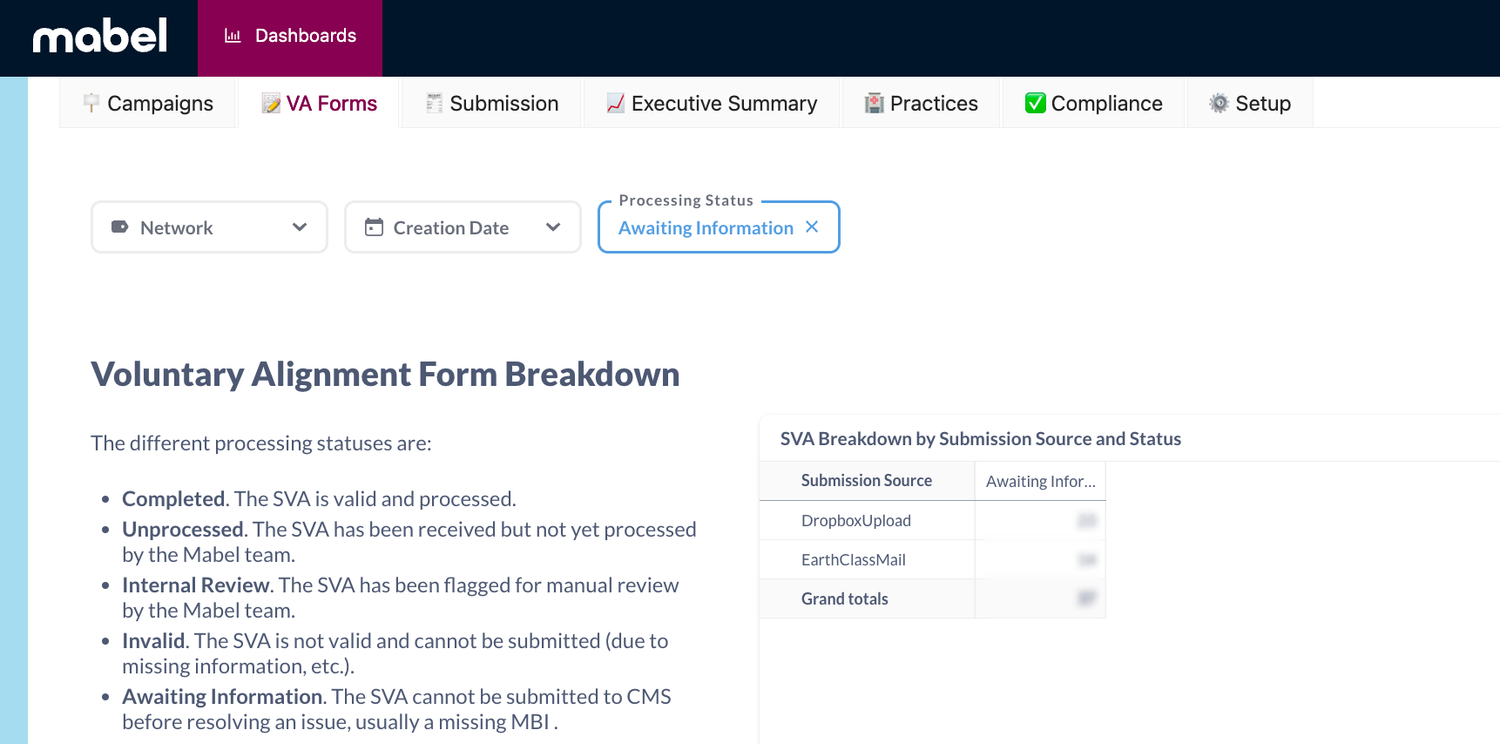
Log into app.getmabel.com; under Dashboards, select "VA Forms." Add a filter at the top for "Processing Status" = Awaiting Information, then scroll down to "Voluntary Alignment Form Details," click the ••• in the top right, and select "Download Full Results .xlsx."
Get Oriented
The downloaded spreadsheet (.xlsx) contains a number of important columns:
- Patient demographics (name, practice name, MBI, etc.)
- Transcriber notes — notes from the Mabel team on why the SVA can't be processed, either due to a missing/invalid MBI, NPI not on file, or signature date confirmation needed
Update the Spreadsheet
- For SVAs with a missing/invalid MBI, update Column H, "Updated MBI"
- For SVAs with no NPI on file, update Column R, "Updated NPI"
- For SVAs requiring signature date confirmation, update Column L, "Updated Signature Date"
If you would like to mark the form Invalid, please write Invalid in any of the corresponding columns (column H, Column R, or Column L).
Please do not delete or modify any other columns.
Upload Completed Spreadsheet to Mabel
After you have updated the spreadsheet with the relevant info, please upload the completed spreadsheet to Mabel.
Upload your completed spreadsheet to getmabel.com/upload.
If you have any questions about this process or policy, please reach out to your account manager or support@getmabel.com.
Questions about an SVA?
Your account manager or our support team can help.
support@getmabel.com · Mon–Fri, 8am–6pm PT